This is a web-only feature - it can't be completed on the mobile app. This is only accessible to Administrators.
OverviewHere you can change or update your PO template information.
|
Please note the warning on this settings page: changes made here will populate future Purchase Orders only.

Edit your Purchase Order Settings
Click on Company Settings on the left navigation bar
Select Purchase Order Settings
Make your changes as needed
Set PO Terms & Conditions:
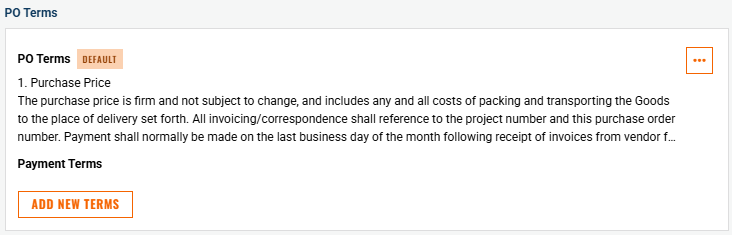
Terms & conditions populate at the bottom of the PO document
An unlimited number of terms can be added by administrators
These can be project specific, supplier specific, etc.
Terms are selected from a drop-down list by users when issuing a PO
Set PO Document Settings:
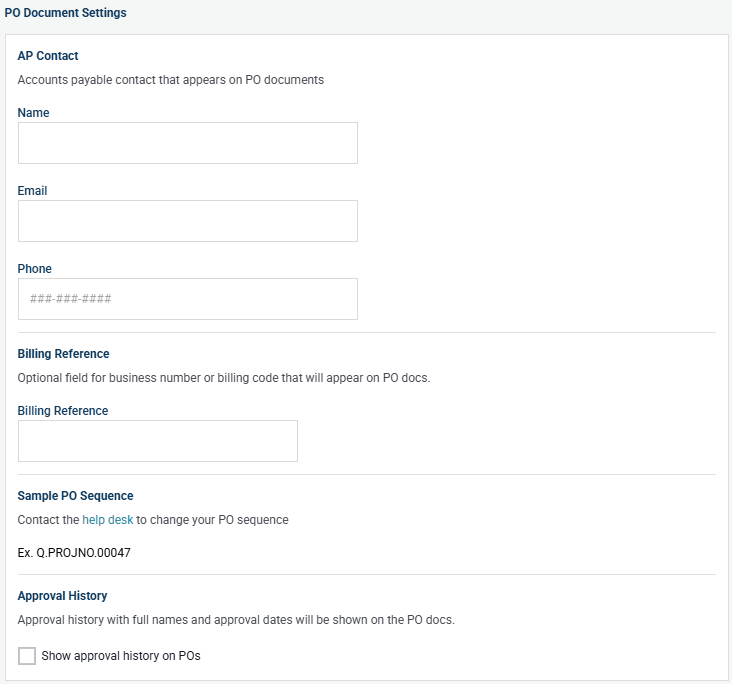
Approval History
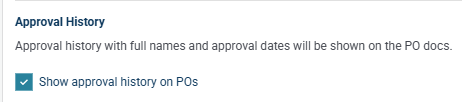
- Turn on to show approval history on the PO document itself.
POSignatures
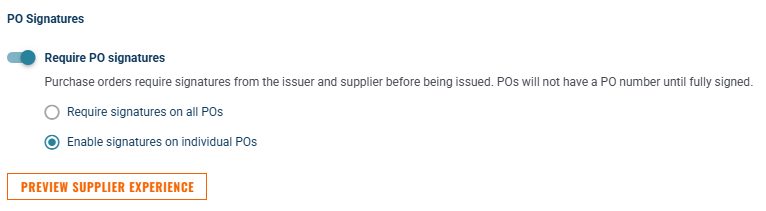
- Please see the help document "Purchase Order E-Signatures" for in-depth information on this setting.
Set Accounting Distribution List:
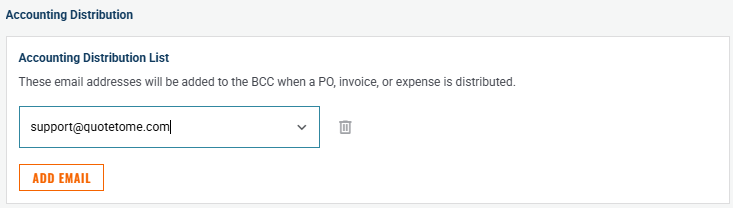
- Add as many emails as desired that will receive a copy of all POs, Change Orders, Expenses and Invoices.
Click Save to apply your changes.
Terms & conditions populate at the bottom of the PO document
An unlimited number of terms can be added by administrators
These can be project specific, supplier specific, etc.
Terms are selected from a drop-down list by users when issuing a PO

Need help?
Reach out to our Customer Support team:
- Call us toll-free at 1-833-712-5021
- Chat with us in our web and mobile apps