Overview Sometimes reports are required for an in-depth look into your projects. With Project reports you can export various lists of pertinent data. Reports include:
|

How to download project reports
Step 1: Select Projects from the left navigation drawer:

- A list of your projects will display.
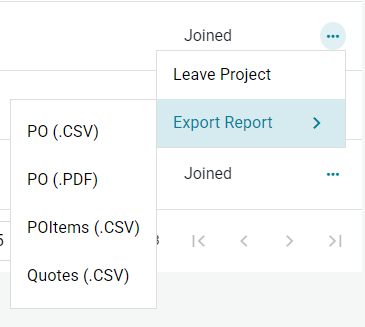
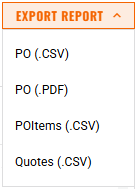
Step 2: There are two places to export reports:
- Select the 3-dot Menu on the far right of each project on the main Projects screen:
- Click the "Export Report" button from within the project itself:
Notes:
- Please only click the button once. Reports can take some time to compile depending on the size of the project, multiple requests will slow the system down and result in multiple exports of the same data.
- The report will be sent to you via email.

Need help?
Reach out to our Customer Support team:
- Call us toll-free at 1-833-712-5021
- Chat with us in our web and mobile apps

