| No longer need an order? Sent a PO on the wrong project, to the wrong vendor, or for any other reason you may need to cancel an order - here's how! |
How To Cancel an Order
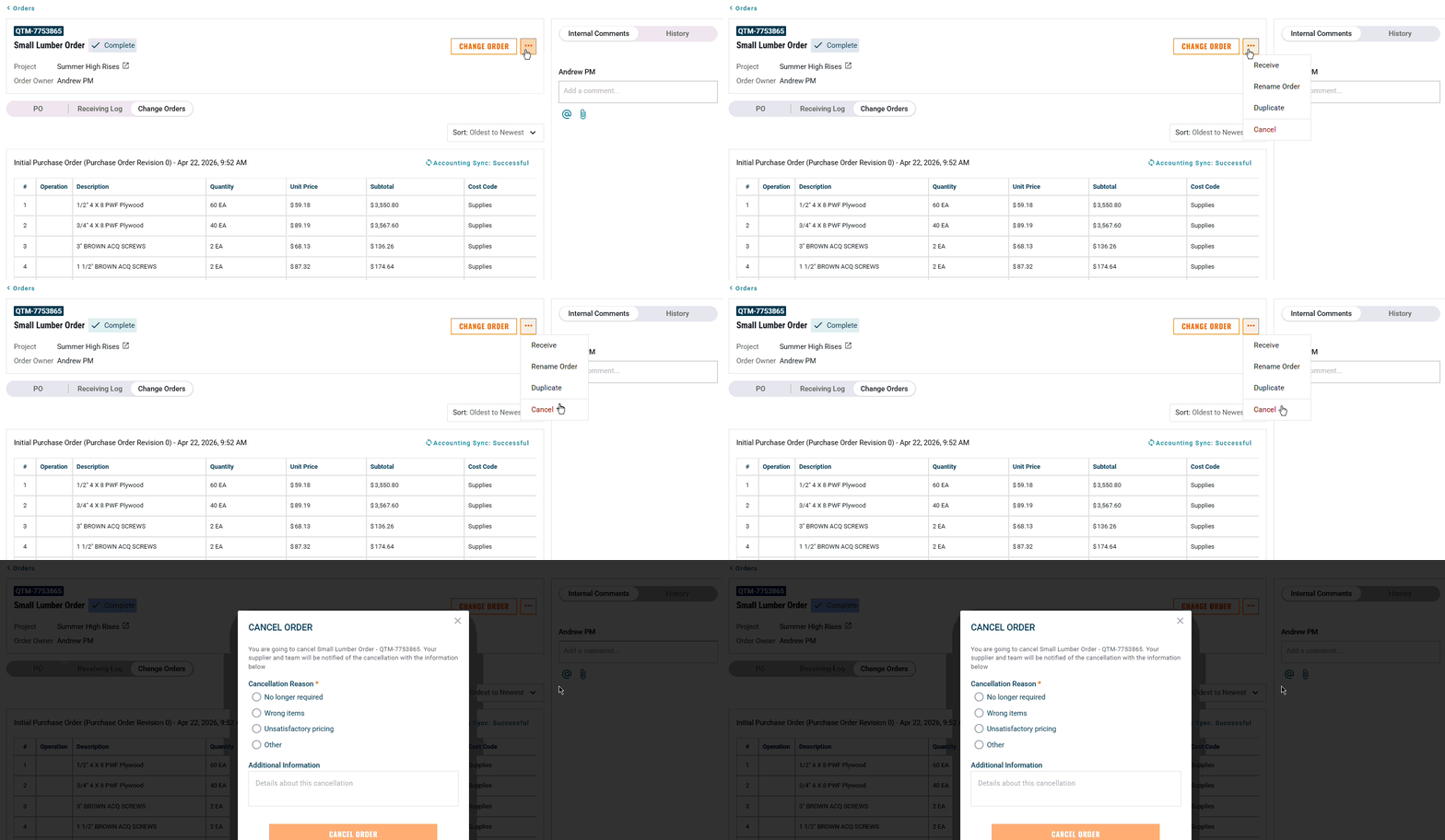
Web App
Click the three-dot menu (⋯)
Select Cancel from the dropdown options.
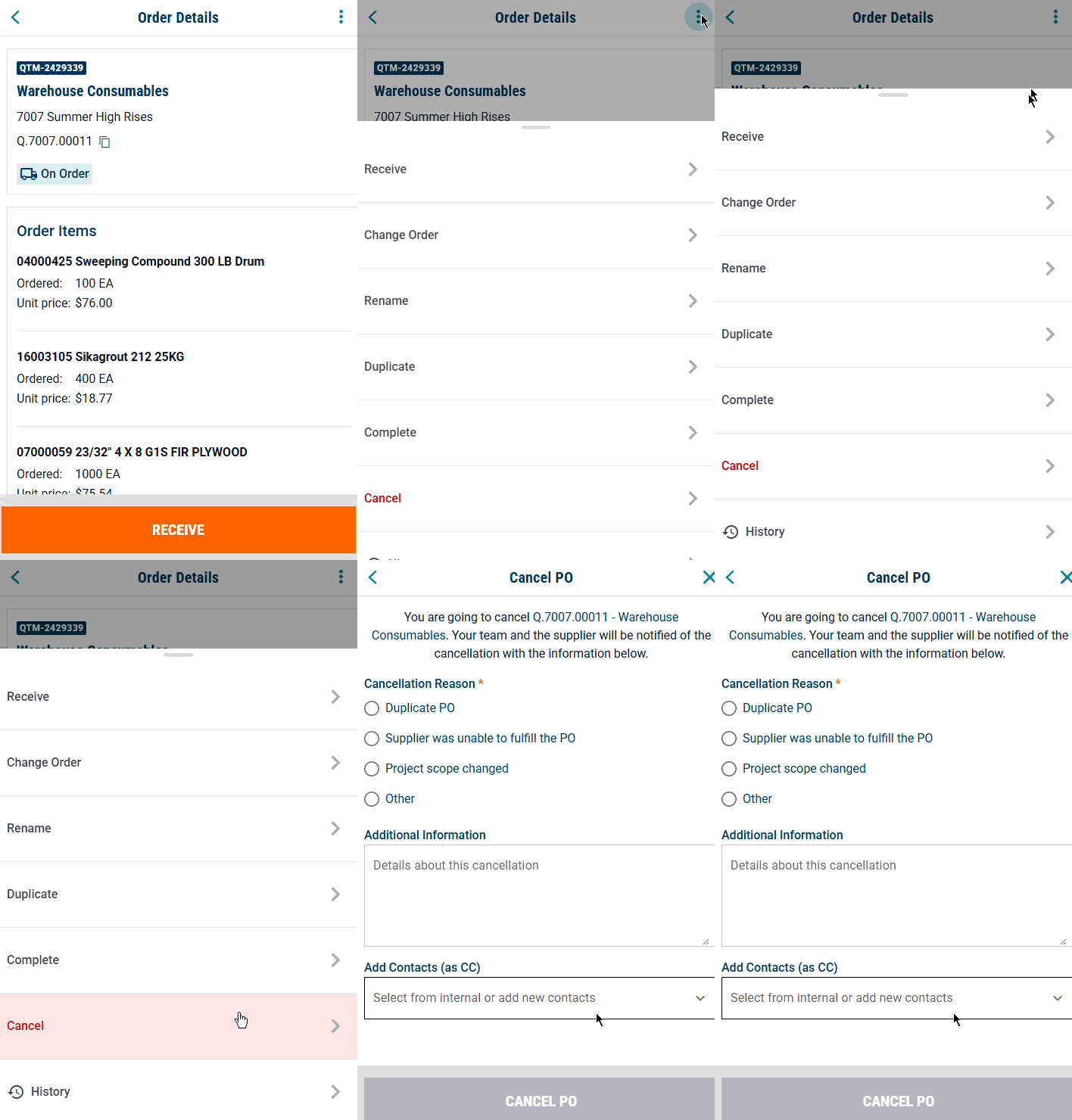
Mobile App
Tap the three-dot menu (⋯) on your order page
Select Cancel from the dropdown options.
Note:
- Your cancellation will be sent to the supplier if the PO has been sent (while in "On Order" or "Complete" status). Otherwise, up until the PO is sent it will just cancel internally - only your team will be informed.
- A cancelled RFQ will alert the supplier that they no longer need to send a quote if they have not already.
Need help?
Reach out to our Customer Support team:
- Call us toll-free at 1-833-712-5021
- Chat with us in our web and mobile apps