Can I Add a Cost Code to My Project?
- Yes, but it depends on your role permissions and whether or not the project is integrated.
For Field Users:
- If you're in the field, you cannot add cost codes yourself. Please contact your company admin for help.
For Admins:
- Integrated Projects (imported from Vista Viewpoint, Procore, QuickBooks):
- You cannot manually add cost codes in QTM. Instead, add the cost code in your ERP system.
- Make sure the cost codes active, budgeted, and the cost type is not being filtered out from QTM.
- If the cost code(s) meet these requirements they should sync into QTM automatically.
Notes:
- The budget can be $0, as long as it is assigned a budget
- Procore specific: cost codes can sometimes lag; Admins can trigger a manual sync under the cost code section of the project page. Click once and give it ~10 minutes.
- If the cost code(s) still do not sync, please double check them in your ERP, and/or reach out to QTM support.
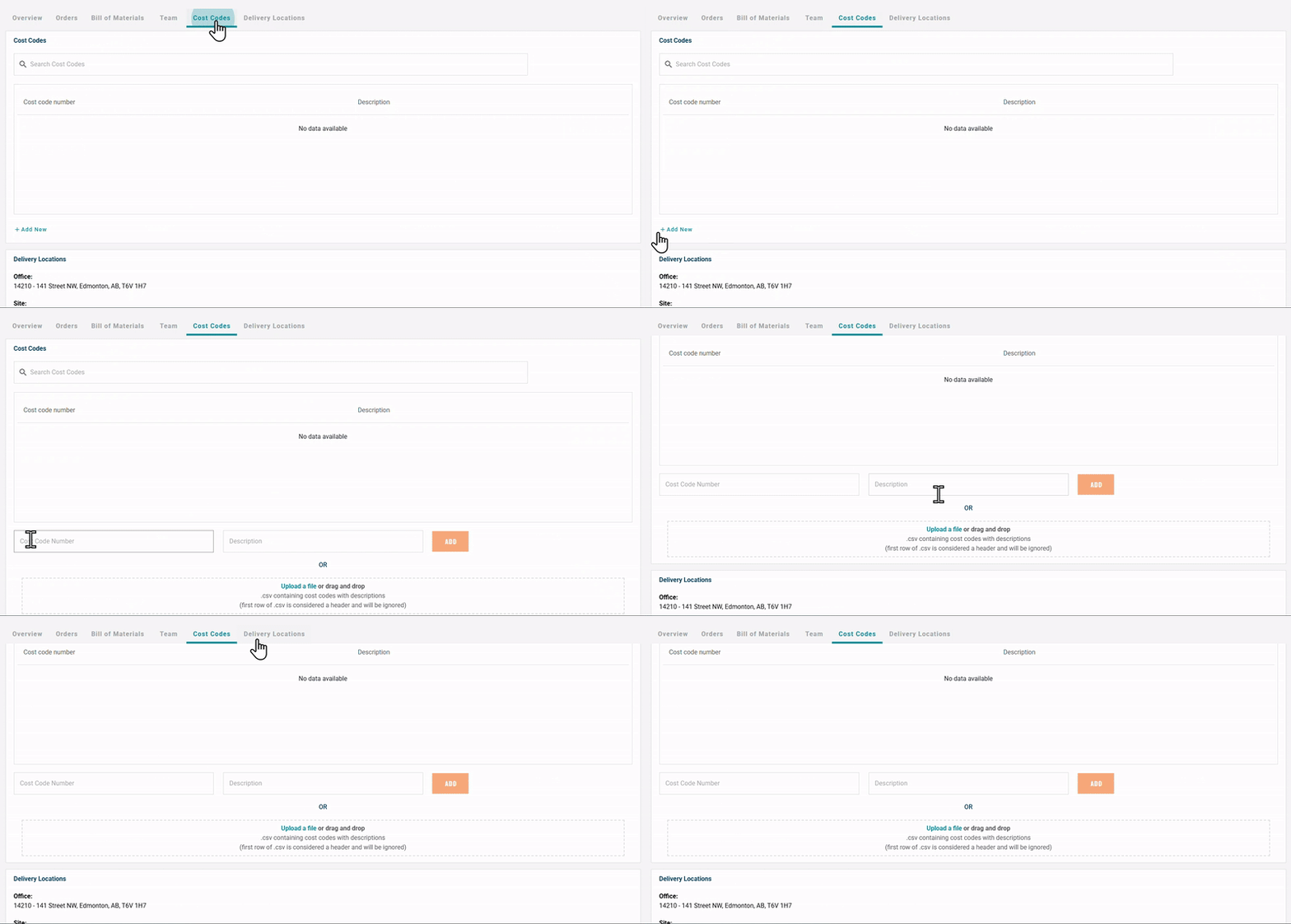
For Non-Integrated Projects:
You can add cost codes directly on the Project Page under the Cost Code section.
Need help?
Reach out to our Customer Support team:
- Call us toll-free at 1-833-712-5021
- Chat with us in our web and mobile apps

