| Resolve sync issue: |
How to resolve this sync message
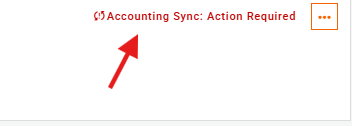
- Click on the error message
- You'll see a message like the below:
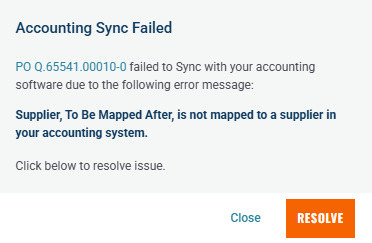
- Click "RESOLVE" and a search dialog with all of your accounting system's suppliers will appear:
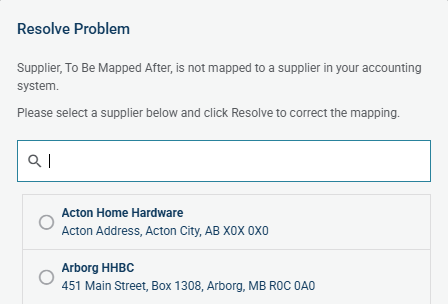
- Search for the supplier and it should appear in the list.
- Click on the required supplier
- Click "RESOLVE" again.
- The order will now re-sync.
Note: Please ensure the supplier has been added to your accounting system and is active.
- If the supplier is not in the list, please reach out to an administrator to add the supplier in your system, then attempt to resolve again.
- If you are an administrator there is more information on managing suppliers here.
Need help?
Reach out to our Customer Support team:
- Call us toll-free at 1-833-712-5021
- Chat with us in our web and mobile apps