
| Overview Compare supplier quotes side-by-side and save prices to your Bill Of Materials. |
What is Bid Levelling?
- Bid Levelling is a QuoteToMe feature where you can compare the quotes you've received for a Bill of Materials all on a single grid.
- You can see prices side-by-side and award the bid line-by-line or per supplier, without juggling spreadsheets or email threads.
When to use it:
- Use Bid Levelling when you've sent a BOM RFQ to multiple suppliers and the quotes are starting to come back.
- Bid Levelling works best once you've received responses from at least two suppliers.
- With a single quote, the comparison view still works, but the lowest-price highlighting won't have anything to compare against.
Opening the Bid Levelling page
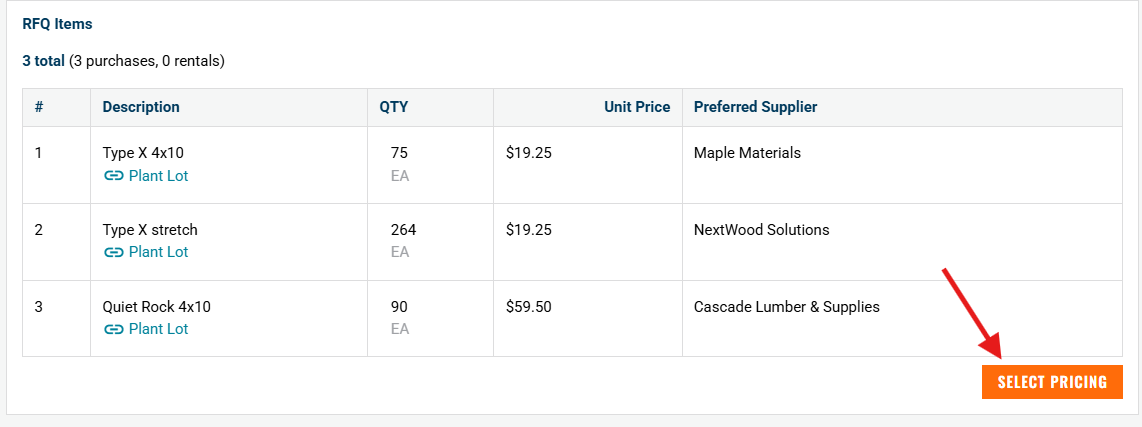
- From any Bill of Materials RFQ in QuoteToMe, open the RFQ and click Select Pricing.
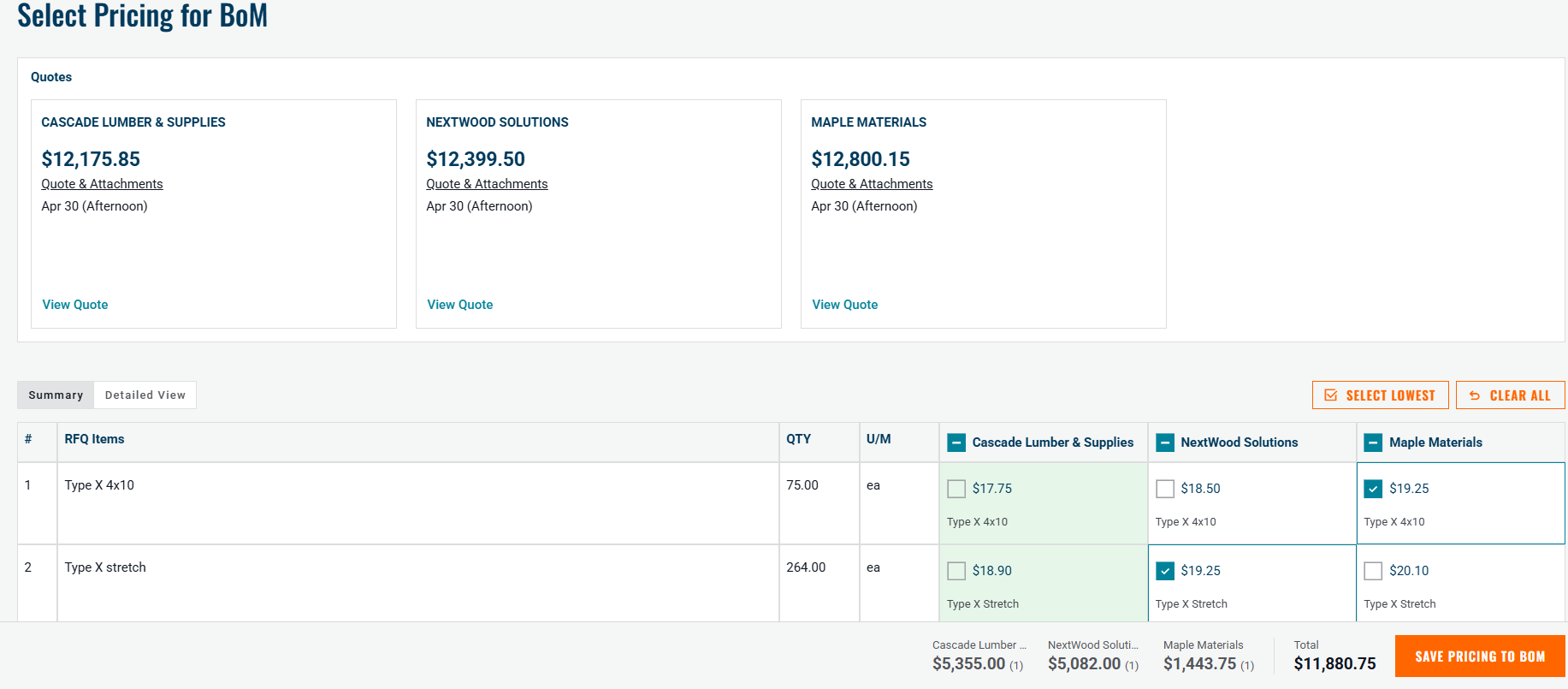
- You'll see a grid with your BoM line items down the left and each invited supplier across the top.
- If a supplier hasn't responded yet, their column will appear empty. As quotes come in, prices and lead times populate automatically.
Reading the comparison grid
Line items and supplier columns
- Each row is one line item from your BoM. There is a Qty FIELD AND UNIT PRICE column.
- Each column after is a supplier.
- Cells that are missing a price are left blank, so it's easy to spot which suppliers skipped which items.
Lead time
- Each price cell now shows the supplier's quoted lead time alongside the price, so you can compare delivery timelines as easily as you compare cost.
- This helps when the cheapest option won't arrive on schedule.
Lowest-price highlighting
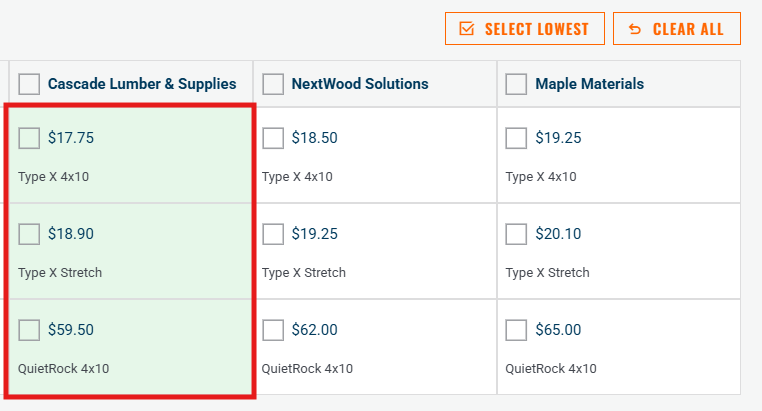
- For every row, QuoteToMe automatically highlights the supplier with the lowest unit price.
- You don't have to scan across each row manually - the winner for each line is already marked.
Pricing flags
- If a quoted price looks unusual - well above expectations, missing where it should be filled, or inconsistent with the rest of the BoM - the cell is flagged so you can review it before awarding.
- Treat flags as a prompt to double-check, not as an automatic disqualification.
Fixed footer with totals
- As you select pricing on the BOM, the totals row stays pinned to the bottom of the page.
- This updates live as you select line items, so you always know what your current selection adds up to per supplier.
Need help?
Reach out to our Customer Support team:
- Call us toll-free at 1-833-712-5021
- Chat with us in our web and mobile apps
