Do you need to reorder something ordered previously? You can duplicate an order. Note: An order that has been cancelled can only be duplicated by QTM staff. Please contact support to do so. |
How to duplicate an order
Duplicating an order is as easy as 1, 2, 3.
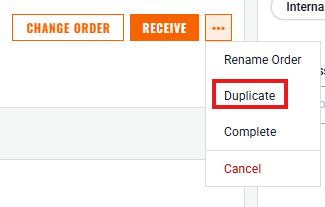
On the web version:
- Open the order you want to duplicate
- Click the 3-dot menu in the upper right
- Select Duplicate
Similarly, on Mobile:
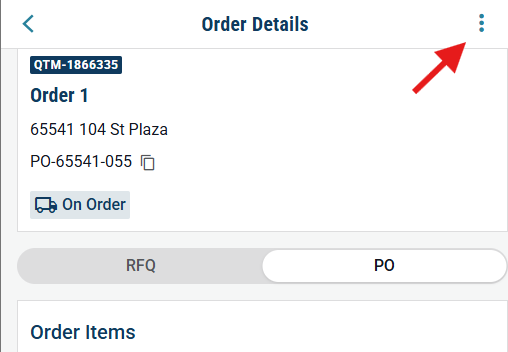
- Open the order you want to duplicate
- Tap the 3-dot menu in the top right corner
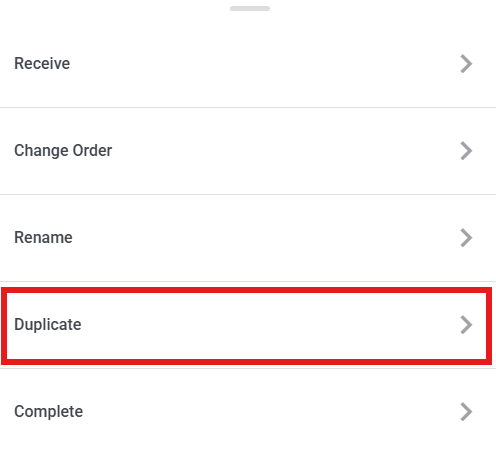
- Tap Duplicate on the menu that pops up
Need help?
Reach out to our Customer Support team:
- Call us toll-free at 1-833-712-5021
- Chat with us in our web and mobile apps